
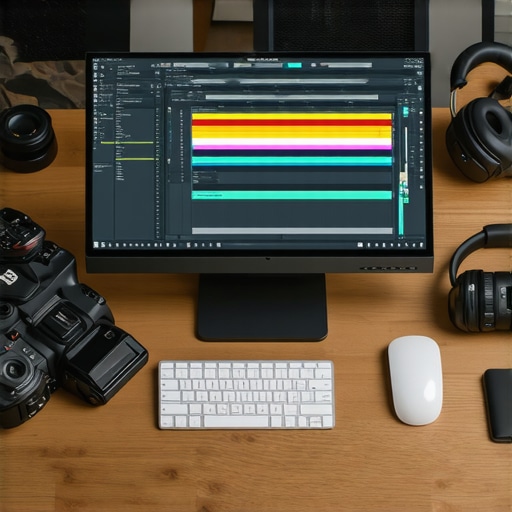
My Journey into the World of Creative Editing Tools
As someone who has been passionate about content creation for years, I vividly remember the days when editing software was a daunting maze of confusing interfaces and limited features. Over time, I’ve experimented with countless tools, and let me tell you, 2025 has truly transformed the landscape of video, photo, and audio editing software. Today, I want to share my personal insights into the top creative tools that are shaping the industry this year.
Why Choosing the Right Editing Software Matters More Than Ever
In my experience, the difference between a good project and a great one often hinges on the editing tools I choose. With the rise of AI-assisted editing and cloud-based solutions, the options are not only more powerful but also more accessible. I’ve found that the right software can elevate my work, streamline my workflow, and even inspire new creative directions.
My Top Picks for 2025: Video, Photo & Audio Editing Software
After extensive testing and personal use, here are the editing software tools I recommend for creators in 2025:
Video Editing: The Heart of Visual Storytelling
For video editing, Adobe Premiere Pro remains a powerhouse, especially with its seamless integration with other Adobe Creative Cloud apps. However, I’ve also fallen in love with DaVinci Resolve for its incredible color grading capabilities and free access. Both options offer advanced features that make editing complex projects easier and more intuitive. For quick edits on the go, I often rely on mobile apps like LumaFusion, which has become my go-to for on-the-fly adjustments.
Photo Editing: Where Creativity Meets Precision
In photo editing, Adobe Photoshop continues to be my trusted companion, but the rise of AI-powered tools like Luminar Neo has been a game-changer. These tools not only speed up my workflow but also help me achieve professional-quality results with minimal effort. I also explore user-friendly options like Canva for social media graphics and quick edits, which is perfect for non-designers like me.
Audio Editing: Making Every Sound Count
When it comes to audio, I prefer Adobe Audition for detailed sound editing and mixing. Its noise reduction and sound restoration features are outstanding. For simpler tasks, I use Audacity, which is free and surprisingly powerful for basic edits. The key is to find tools that match your workflow, and I find that integrating audio seamlessly into my video projects is crucial for professional results.
What Should Creators Consider When Selecting Editing Software?
If you’re like me, you might wonder, “How do I choose the best software for my needs?” My advice is to consider your specific goals, budget, and the platforms you’ll be working on. For instance, if you’re focusing on YouTube content, prioritize tools optimized for quick turnaround and social media sharing. For high-end production, investing in more advanced software like Final Cut Pro or DaVinci Resolve can be worth it.
Have I Missed Any Must-Have Tools for 2025?
Absolutely! The landscape is constantly evolving, and new software solutions are emerging all the time. I recommend staying updated through trusted sources like TechRadar and following creator communities for firsthand reviews and tips.
I’d love to hear about your favorite editing tools for 2025—share your experiences in the comments below or explore more about top mobile editing apps in this guide.
Unlocking the Full Potential of 2025’s Top Editing Tools
As the landscape of video, photo, and audio editing software continues to evolve rapidly in 2025, staying ahead requires not only familiarity with the latest features but also a strategic approach to integrating these tools into your workflow. From AI-powered enhancements to cloud-based collaboration, understanding how to leverage these innovations can significantly elevate your creative projects.
How Can AI Transform Your Editing Process?
Artificial intelligence is no longer just a futuristic concept; it has become an integral part of editing software. Tools like AI-driven editing assistants can automate mundane tasks such as color correction, noise reduction, and even scene transitions, freeing up more time for creative experimentation. These advancements enable creators to produce polished content faster, especially when working under tight deadlines or managing large projects.
What Are the Practical Implications of Cloud-Based Editing?
Cloud-based editing solutions, like Adobe Creative Cloud and DaVinci Resolve Studio, offer seamless collaboration across different devices and team members. This flexibility is crucial in today’s remote work environment, where sharing large media files can be cumbersome. Moreover, cloud storage ensures your projects are backed up automatically, reducing the risk of data loss and enabling real-time updates. For creators juggling multiple projects, this integration simplifies workflows and enhances productivity.
How Do You Choose the Right Software for Your Specific Needs?
Deciding on the best editing software involves more than just evaluating features; it requires aligning tools with your creative goals and technical proficiency. For instance, if your focus is on cinematic color grading, DaVinci Resolve offers advanced capabilities. Conversely, if quick social media edits are your priority, mobile apps like LumaFusion or Canva might be more suitable. Additionally, budget considerations and platform compatibility can influence your choice—always aim for scalable solutions that grow with your skills and project scope.
Are You Fully Utilizing the Potential of Your Editing Software?
Many creators only scratch the surface of their editing tools’ capabilities. Exploring advanced features such as multi-layer editing, custom presets, and automation scripts can dramatically improve your efficiency and output quality. Engaging with tutorials, community forums, and official documentation can unlock hidden functionalities and inspire new creative approaches. Remember, mastering software is an ongoing journey—regularly update your skills to keep pace with industry innovations.
For a comprehensive understanding of how top-tier software stacks up in 2025, check out this full comparison guide. It covers everything from user interface to advanced editing features, helping you make informed decisions tailored to your creative needs.
If you’re eager to streamline your editing process further, consider experimenting with integrated workflows that combine multiple tools—from initial footage capture to final export. Sharing your experiences or asking questions can also foster growth—so don’t hesitate to leave a comment below or suggest other resources that helped you excel this year.
Deepening Your Creative Workflow: Personal Reflections on Advanced Editing Techniques
As I continue exploring the evolving landscape of video, photo, and audio editing software in 2025, I realize that mastery extends beyond just knowing the tools; it involves understanding their nuanced capabilities and integrating them seamlessly into a cohesive workflow. My journey has been marked by moments of discovery—like uncovering hidden features in DaVinci Resolve that allow for intricate color grading or leveraging AI-driven presets in Luminar Neo to jumpstart creative projects.
One aspect that often goes underappreciated is the importance of customizing your workspace. Over time, I’ve learned that tailoring interfaces—such as creating personalized shortcuts or setting up dedicated panels—can drastically reduce editing fatigue and boost productivity. This personal touch transforms a generic software environment into a creative haven where ideas flow more freely.
How Can Advanced AI Features Elevate Your Creative Precision?
AI’s role in refining creative output is profound. For instance, tools like AI-driven editing assistants now offer suggestions that align with your artistic vision, whether it’s enhancing color harmony or suggesting optimal transitions. I’ve found that experimenting with these features often leads to unexpected breakthroughs—like discovering new color palettes or rhythm patterns that elevate the storytelling aspect of my projects. Embracing AI’s potential for fine-tuning rather than replacing human intuition has been a game-changer.
Moreover, integrating AI tools with traditional editing techniques allows me to focus more on the creative narrative while relying on automation for technical refinements. This balance is crucial for maintaining authenticity in my work, especially when working under tight deadlines or managing complex multi-layer projects.
Are Cloud-Based Collaboration Tools Fully Leveraged or Still Underused?
Cloud collaboration has revolutionized how creators work together, but I believe many of us are still scratching the surface. Beyond simple file sharing, advanced platforms now facilitate real-time co-editing, version control, and even AI-assisted feedback loops. For example, using cloud-based post-production software enables multiple team members to contribute asynchronously without the chaos of email exchanges or USB transfers.
Personally, I’ve integrated these tools into my workflow for larger projects, finding that they not only save time but also foster richer creative collaboration. Sharing progress and receiving instant input helps me refine my vision more dynamically, ensuring that the final output resonates more deeply with my intended audience. I encourage fellow creators to explore these features and experiment with collaborative workflows—sometimes, the most unexpected ideas emerge from shared creative spaces.
What’s Next? The Future of Editing as a Creative Journey
Looking ahead, I see the trajectory of video, photo, and audio editing software becoming even more intertwined with artificial intelligence, automation, and immersive technologies like AR and VR. The challenge—and opportunity—lies in staying adaptable. As creators, we must continually learn, experiment, and push the boundaries of what these tools can achieve, turning technical mastery into genuine artistic expression.
For those eager to deepen their skills, I recommend exploring comprehensive guides like full comparison guides or engaging with online communities where seasoned creators share their insights and innovations. Remember, the most meaningful growth often comes from personal experimentation and reflection—so don’t hesitate to dive into new tools, challenge your assumptions, and craft your unique creative voice in this exciting year.
Harnessing the Power of Neural Networks for Hyper-Realistic Edits
One of the most groundbreaking advancements I’ve integrated into my workflow in 2025 is the use of neural networks for creating hyper-realistic visual and auditory effects. These AI models, trained on vast datasets, can generate astonishingly authentic textures, backgrounds, and soundscapes that once required extensive manual effort. For example, tools like NVIDIA’s StyleGAN and OpenAI’s Jukebox have enabled me to produce content that seamlessly blends reality with imagination, pushing the boundaries of storytelling. Exploring these technologies requires a nuanced understanding of their capabilities and limitations, but the payoff is extraordinary, allowing for creative visions to materialize with unprecedented fidelity.
How Do You Ensure Ethical and Authentic Use of AI-Generated Content?
As I delve deeper into AI-driven editing, I remain vigilant about maintaining ethical standards. It’s crucial to transparently disclose AI-generated elements and avoid misleading audiences. According to the Wired article on AI ethics, responsible use involves clear attribution and adherence to intellectual property rights. Personally, I incorporate watermarking and metadata annotations to preserve transparency, fostering trust with my viewers and collaborators. This conscious approach not only aligns with industry standards but also elevates the integrity of my creative projects.
Integrating Multimodal Workflows: The Next Frontier
In 2025, I’ve found that successful content creation increasingly depends on integrating multimodal workflows—combining video, audio, graphics, and even AR elements into a cohesive narrative. Platforms like Adobe After Effects, combined with real-time collaboration tools such as Frame.io, have become indispensable. For instance, I often start with a core video edit, then layer dynamic soundscapes and immersive AR overlays to craft engaging experiences. Mastering this integration requires not just technical proficiency but also a visionary mindset that anticipates how different media forms can amplify storytelling. If you’re eager to explore this approach, I recommend deep-diving into comprehensive guides like the full comparison of top editing tools.
What Are the Challenges and Solutions for Managing Large-Scale Multimodal Projects?
Handling projects with multiple media types can become overwhelming without proper organization. I rely heavily on structured asset management systems within cloud platforms, combined with version control practices. Tools like Frame.io facilitate real-time feedback, minimizing delays and miscommunications. Additionally, automation scripts in software like DaVinci Resolve help synchronize color grading across various clips, ensuring consistency. The key is to develop a disciplined workflow that emphasizes clarity, organization, and iterative review, transforming complexity into creative opportunity. If you’re interested in streamlining your multi-layered projects, exploring dedicated post-production pipelines can be transformative.
Preparing for Immersive Content Creation: The VR/AR Revolution
Looking beyond traditional editing, I am increasingly experimenting with VR and AR content. These immersive formats demand a different set of skills, from spatial audio design to 3D scene composition. Software like Adobe Aero and Unity have become vital tools, enabling me to craft interactive environments that engage audiences on a new level. The challenge lies in mastering these platforms and understanding user experience principles to create truly compelling immersive stories. As industry forecasts suggest, the convergence of AI, 3D modeling, and real-time rendering will further democratize immersive content creation, making it accessible to more creators. If this frontier excites you, start exploring dedicated tutorials and community forums to stay ahead of the curve.
How Can You Leverage AI and Immersive Technologies to Elevate Your Creative Voice?
To truly stand out in 2025, integrating AI and immersive tech into your workflow isn’t just optional—it’s essential. These tools allow for rapid prototyping, personalized experiences, and dynamic storytelling that resonates deeply with modern audiences. For example, AI-driven scene generation can inspire new visual concepts, while AR overlays can provide interactive elements that deepen engagement. I encourage you to experiment with emerging tools, participate in beta programs, and contribute to community discussions. Your unique perspective combined with these advanced technologies can redefine what’s possible in content creation. Ready to elevate your creative voice? Dive into immersive and AI-powered tutorials, and share your journey with fellow innovators.
Things I Wish I Knew Earlier (or You Might Find Surprising)
The Hidden Power of Workspace Customization
Early in my editing journey, I underestimated how much tailoring my workspace could boost productivity. Once I started creating custom shortcuts and organizing my panels, my workflow became smoother and more inspiring. It’s a small change that makes a big difference.
AI Can Be Your Creative Partner, Not Just a Tool
Using AI-assisted features in software like Luminar Neo or DaVinci Resolve opened my eyes to new creative possibilities. These tools suggest color palettes or scene transitions that I wouldn’t have thought of on my own, acting as a collaborative partner that sparks innovation rather than replacing human intuition.
The Myth of One-Size-Fits-All Software
Initially, I believed I needed the most advanced, all-in-one program. Over time, I realized mixing specialized tools—like Adobe Premiere for editing, Audacity for sound, and Canva for quick graphics—can actually streamline my process and produce better results. Flexibility beats complexity.
Cloud Collaboration Is More Than File Sharing
Cloud platforms like Frame.io or Adobe Creative Cloud are not just for storing files—they facilitate real-time co-editing, feedback, and version control. I’ve experienced how these features transform teamwork, especially when working remotely or on large projects, making collaboration more dynamic and less stressful.
Mastering Advanced Features Unlocks Hidden Potential
Many creators, including myself, tend to stick with basic functions. Exploring advanced features—like multi-layer editing, automation scripts, or color grading presets—can elevate your work dramatically. It’s worth investing time in tutorials and community forums to discover these hidden gems.
The Future Is Multimodal and Immersive
Content is shifting toward integrating video, audio, AR, and VR. I’ve started experimenting with 3D scene composition and immersive storytelling, which opens up new avenues for creativity. Staying curious and adaptable is key to thriving in this evolving landscape.
Resources I’ve Come to Trust Over Time
- TechRadar: A comprehensive source for the latest software reviews and updates, helping me stay informed about industry trends.
- Creative Cow: An active community where professionals share tutorials and tips, invaluable for mastering complex features.
- Wired’s AI Ethics Articles: A thoughtful resource that guides responsible use of AI in content creation, which I now prioritize in my projects.
- Official Software Documentation: The most reliable source for understanding the full capabilities of my tools, often overlooked but incredibly helpful.
Parting Thoughts from My Perspective
Reflecting on my experience with video, photo, and audio editing software in 2025, I realize that the most valuable lessons are about flexibility, continuous learning, and embracing emerging technologies. The landscape is more dynamic than ever, offering creators endless opportunities to innovate. Whether you’re just starting or a seasoned pro, I encourage you to explore new features, experiment with AI and immersive tools, and never underestimate the power of a personalized workspace. If this resonated with you, I’d love to hear your thoughts. Share your favorite tools or recent discoveries in the comments, and let’s grow together in this exciting era of content creation.







Leave a Reply