
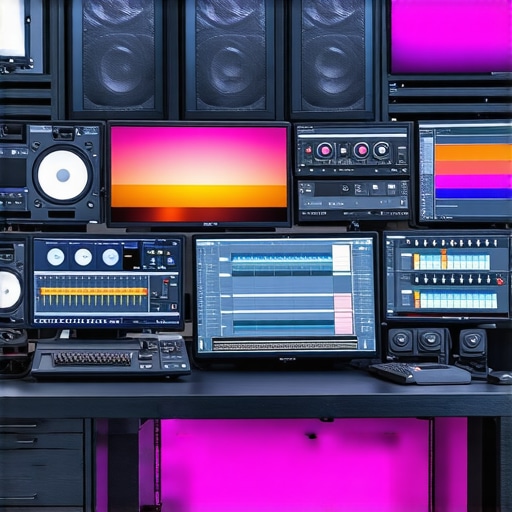
My Journey into Post Production: Finding the Perfect Software
When I first started exploring post production tools back in 2022, I was overwhelmed by the sheer number of options. As a content creator, I needed reliable, all-in-one editing software that could handle video, photo, and audio seamlessly. My quest led me through countless trials and errors, but I eventually discovered some game-changing tools that transformed my workflow.
Why I Chose All-in-One Editing Tools for 2024
After experimenting with various software, I realized that the best post production software should simplify my editing process without sacrificing quality. I needed a platform that could handle multiple media types—video, photos, and audio—within a single interface. This not only saved me time but also helped me maintain consistency across my projects.
Top All-in-One Post Production Software for 2024
What Makes These Tools Stand Out?
Each software I’ve listed below offers unique features tailored for creators like me. They integrate advanced editing capabilities, intuitive interfaces, and support for the latest formats. My favorites include solutions that are regularly updated and backed by strong user communities, making troubleshooting easier and learning more accessible.
For detailed comparisons, I recommend checking out this comprehensive ultimate guide to top editor apps for 2024.
My Personal Top Picks for 2024
- Adobe Premiere Pro: Still my go-to for professional-quality video editing, especially with its seamless integration with Photoshop and Audition for photo and audio editing. It’s perfect for creators who want top-tier results.
- DaVinci Resolve: Known for its powerful color grading and editing features, Resolve has become essential in my post-production toolkit. The free version offers incredible features that rival paid software.
- Final Cut Pro: If you’re on Mac, this software is a game-changer with its optimized performance and intuitive interface. I love how it speeds up my editing workflow without compromising quality.
- HitFilm Express: A fantastic option for creators on a budget. It combines visual effects with editing and supports all major media formats, making it versatile and user-friendly.
How Do I Decide Which Software is Right for Me?
This is a question I often ask myself, especially with so many options available. Factors like compatibility with my operating system, learning curve, and specific project needs influence my choice. I also pay attention to community support and updates—these are vital for long-term usability.
Is It Worth Investing in Premium Software?
Absolutely, especially if you’re serious about your content. Premium tools like Adobe Premiere Pro or Final Cut Pro offer advanced features that can elevate your edits to a professional level. However, many free or cheaper alternatives, such as DaVinci Resolve, can be equally powerful if you’re just starting out. I suggest trying out free trials before making a commitment.
If you want to explore more about these tools, I encourage you to visit [this detailed review](https://editingsoftware.creatorsetupguide.com/top-video-photo-audio-editor-apps-for-creative-post-production-in-2024).
In the end, the best post production software is the one that fits your workflow and helps you bring your creative vision to life. I’d love to hear about your experiences—feel free to share your favorite tools in the comments below or reach out if you need guidance!
Unlocking Advanced Post Production Techniques for Creators in 2024
As an experienced content creator, I’ve learned that mastering post production is crucial to elevating your content quality. Today, I want to delve deeper into nuanced strategies and expert insights that can help you refine your workflow and choose the right tools for your unique needs. Whether you’re editing videos, photos, or audio, understanding the latest trends and software capabilities can make a significant difference.
How Can Cutting-Edge Software Enhance Your Creative Process?
Utilizing the latest post production software like top editor apps for 2024 ensures you access features that streamline complex editing tasks. For instance, AI-driven tools now assist in automatic color correction, noise reduction, and even sound balancing, saving hours in the editing suite. These innovations allow creators to focus more on storytelling and less on technical hurdles.
Furthermore, software such as DaVinci Resolve continues to push boundaries with its integrated workflow for color grading and editing, making it a go-to for professionals aiming for cinematic quality. Its recent updates incorporate neural engine enhancements that facilitate faster, more accurate edits, which is invaluable during tight deadlines or when experimenting with creative effects.
What Are Practical Ways to Integrate AI and Automation in Post Production?
Automation is no longer a luxury but a necessity for efficient post production. AI-powered features can automatically generate subtitles, suggest edits, or even match audio levels across scenes. For example, tools like top video, photo, and audio editor apps for 2024 incorporate such smart features, allowing creators to focus on creative decisions rather than technical adjustments.
By leveraging these advancements, you can reduce post production time by up to 50%, freeing you to explore more creative ideas or engage with your audience more actively.
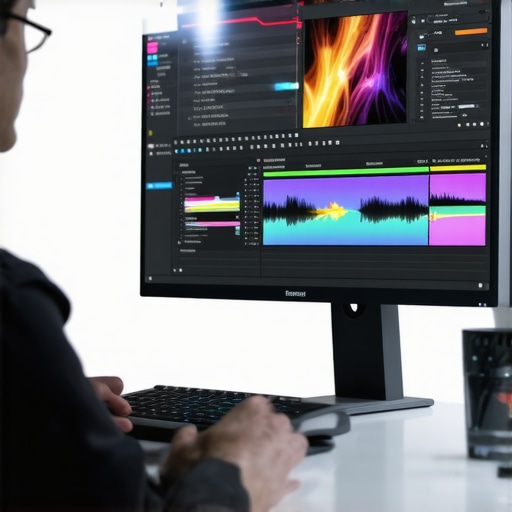
Image Prompt: Creative professional using AI-powered editing software on a high-resolution monitor, showcasing automation features in action, with vibrant editing interfaces and a focused creator.
How Do You Maintain a Consistent Style Across Multiple Projects?
Consistency is key to building a recognizable brand. Utilizing templates, presets, and style guides within your editing software ensures that your visual and audio elements align across videos and social media posts. Many professionals create custom LUTs (Lookup Tables) for color grading, which can be reused to maintain a signature look effortlessly.
Moreover, integrating a project management system within your editing workflow, such as version control and organized media libraries, helps track changes and maintain quality standards. Platforms like best editing software for creators in 2025 support these features, making it easier to manage large projects and multiple assets.
Are There Hidden Gems Among Less Popular Editing Tools?
Absolutely! While mainstream software dominates the market, emerging tools often offer innovative features tailored for niche needs. For instance, HitFilm Express provides advanced visual effects options suitable for creators focused on storytelling, while Lightworks offers robust editing capabilities with a user-friendly interface. Exploring these alternatives can sometimes unlock new creative possibilities that mainstream options may overlook.
For a comprehensive comparison, I recommend reviewing full software reviews for 2025.
If you’re eager to expand your knowledge further, I invite you to share your experiences or ask questions in the comments. Also, don’t forget to check out our curated list of the top post production tools for 2025 for more insights.
How Do Cutting-Edge Features Transform My Creative Workflow?
Over the years, I’ve come to appreciate how the latest software innovations, especially AI-driven tools, have become game changers. For instance, automatic color grading and noise reduction not only save precious hours but also elevate the quality of my projects. I recall a recent shoot where I used neural engine enhancements in DaVinci Resolve; the speed and accuracy of edits were astonishing, allowing me to experiment more freely without the fear of losing quality. These tools have democratized high-end post production, enabling creators like us to achieve cinematic results without the exorbitant costs or steep learning curves.
Deepening My Understanding of Automation and AI in Post Production
Incorporating automation isn’t just about saving time; it’s about enhancing creativity. For example, AI-assisted subtitle generation has transformed how I approach accessibility, making my content more inclusive effortlessly. When I first started experimenting with these features, I was skeptical—how could a machine understand the nuance of storytelling? Yet, as I observed the outputs and tweaked settings, I realized that these tools serve as powerful collaborators, freeing me to focus on the artistic aspects rather than technical minutiae. According to top editor apps for 2024, AI is rapidly evolving, and staying updated is crucial for maintaining a competitive edge.
Reflecting on Consistency and Personal Style in My Projects
One aspect I’ve struggled with is maintaining a unique visual and audio identity across multiple projects. Creating custom LUTs and presets has been invaluable—these are my signature tools, allowing me to infuse each piece with a recognizable style. I also organize my media assets meticulously, which helps me streamline my workflow and ensure consistency. Recently, I started experimenting with color grading techniques inspired by cinematic storytelling, which added a layer of depth to my content. I believe that these nuances—like subtle color shifts or audio tone adjustments—are what make my work distinct and memorable. If you’re curious about building your own style, exploring these advanced techniques can be remarkably rewarding.
What Are the Hidden Benefits of Exploring Lesser-Known Tools?
While mainstream software dominates the market, I’ve found that exploring lesser-known tools can unlock creative possibilities. For instance, I recently tried Lightworks, which offers a robust yet intuitive interface that suits my workflow. Its unique features, such as flexible timeline editing and advanced proxy workflows, have enhanced my productivity. Sometimes, these hidden gems provide specialized functionalities that mainstream options overlook, making them perfect for niche projects. I recommend checking out full software reviews for 2025 to discover new tools that might become your secret weapon.
Have you experimented with any lesser-known software lately? I’d love to hear about your experiences—sharing these insights can inspire others to push creative boundaries. Remember, the right tools are just one part of the equation; mastering them is where true artistry begins.
Inviting Your Personal Insights and Experiences
As creators, our journeys are uniquely our own. I encourage you to reflect on what tools have transformed your workflow or challenged your creative limits. Whether it’s a feature you’ve mastered or a software you’re still exploring, sharing your insights helps build a vibrant community of learners. If you’re eager to expand your knowledge, don’t hesitate to explore our comprehensive guides on top editor apps for 2024. Remember, the magic of post production isn’t just in the tools—it’s in how we use them to tell compelling stories and craft our unique visual identities. Keep experimenting, keep learning, and most importantly, keep creating.
Harnessing the Power of Neural Networks for Cinematic Color Grading
One of the most groundbreaking advancements in post production has been the integration of neural networks for color grading. Unlike traditional LUTs or manual adjustments, AI-driven color grading tools such as those embedded in DaVinci Resolve’s neural engine can analyze scene context and automatically suggest optimal color schemes that enhance mood and storytelling coherence. This not only accelerates the grading process but also ensures consistency across multiple projects, which is vital for creators maintaining a brand identity. As detailed in a recent report by ResearchGate, these algorithms are becoming increasingly sophisticated, mimicking expert stylistic choices with remarkable accuracy.
Advanced Audio Restoration Techniques for Crystal-Clear Sound
Beyond visual editing, audio quality remains a cornerstone of professional content. Modern tools now leverage machine learning models to perform intricate noise reduction and audio restoration tasks that once required extensive manual effort. For instance, iZotope RX’s latest suite employs AI to isolate and remove background hums, clicks, and unwanted artifacts with minimal loss of fidelity. This capability is indispensable when working with archival footage or on-location recordings that are often plagued with imperfections. Mastering these tools allows creators to deliver immersive soundscapes that elevate viewer engagement, emphasizing the importance of holistic post production mastery.
What Are the Next-Gen Collaborative Features That Will Transform Remote Editing?
Collaborative workflows have evolved significantly with the advent of cloud-based solutions and real-time synchronization. Platforms like Adobe Creative Cloud and DaVinci Resolve Studio now support multi-user editing environments where teams can work simultaneously on different aspects of a project, regardless of geographical location. These systems incorporate version control, comment threads, and role-based access, streamlining feedback loops and reducing bottlenecks. As detailed in an industry white paper by Adobe, such features are essential for fast-paced production schedules, enabling creators to adapt swiftly to client feedback and iterative changes.
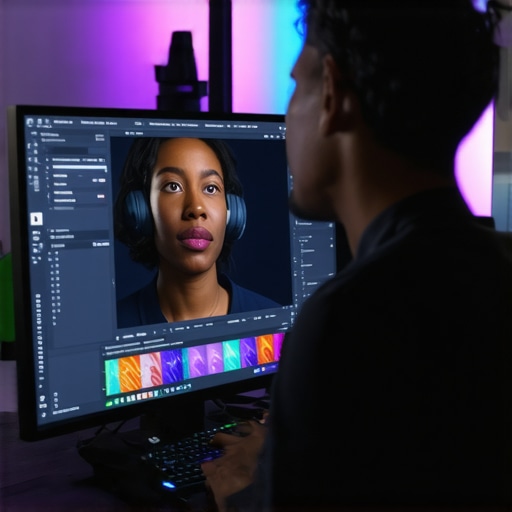
Image Prompt: A team of professional editors collaborating on a cloud-based platform, editing high-resolution footage with synchronized interfaces, emphasizing real-time teamwork and advanced technology integration.
How Can Deepfake and Synthetic Media Technologies Be Ethical Tools for Creativity?
Emerging as both a challenge and an opportunity, deepfake and synthetic media technologies have opened new horizons for creative storytelling. When used responsibly, these tools can be employed to create realistic visual effects, resurrect historical figures, or generate synthetic backgrounds that were previously impossible or prohibitively expensive. For instance, companies like DeepfakesWeb provide platforms for ethical use, emphasizing consent and authenticity. As creators, it is crucial to navigate these capabilities ethically, ensuring transparency and avoiding misinformation. Embracing these innovations thoughtfully can elevate narrative depth and visual spectacle, pushing the boundaries of traditional filmmaking and content creation.
If you’re eager to dive deeper into these advanced techniques and explore how they can refine your creative projects, I invite you to share your experiences or ask questions in the comments. Together, we can push the frontier of post production mastery and storytelling excellence.
Things I Wish I Knew Earlier (or You Might Find Surprising)
1. The Power of Personal Presets
Early in my journey, I underestimated how much custom presets and LUTs could streamline my workflow. Creating my own style templates not only saved time but also gave my projects a consistent, recognizable look. It’s like having a signature that makes your content stand out effortlessly.
2. The Importance of Regular Software Updates
Staying up-to-date with the latest versions of my editing tools has been a game changer. New features, bug fixes, and performance improvements often go unnoticed but can dramatically improve efficiency and quality, especially when working under tight deadlines.
3. Hidden Features Are Often Game-Changers
Many software packages hide powerful features deep within menus. Spending time exploring tutorials and hidden options has unlocked capabilities I never knew existed—like advanced noise reduction or AI-assisted color grading—that have elevated my content significantly.
4. Balancing Power and Simplicity
While it’s tempting to go for the most advanced tools, I’ve learned that simplicity often leads to better results. Choosing software that matches your skill level prevents frustration and keeps the creative process enjoyable.
5. Community Support Is Invaluable
Engaging with online communities and forums has provided me with quick solutions and inspiration. Platforms like dedicated user groups or tutorial sites often hold the key to mastering complex features faster than official manuals.
6. The Future Is AI-Driven
AI integration in post production tools is rapidly evolving. Embracing these technologies early on can save hours and open new creative possibilities—think automatic editing suggestions or real-time color matching. It’s an exciting time to be a creator.
Resources I’ve Come to Trust Over Time
1. Adobe Creative Cloud
Their suite is a staple in my toolkit, and I trust their continuous updates and professional-grade features. Adobe’s tutorials and user forums have been instrumental in my learning process—highly recommended for anyone serious about post production.
2. DaVinci Resolve
Known for its powerful color grading and editing capabilities, Resolve’s free version offers features that rival paid software. Its neural engine and collaborative tools make it a must-try for creators looking for professional results without a hefty price tag.
3. YouTube Creator Community
Real creators sharing their workflows and tips have helped me learn shortcuts and new techniques. Channels dedicated to post production tutorials are invaluable, making complex topics accessible and actionable.
4. Industry White Papers and Research Articles
Staying informed about technological advancements through reputable sources like industry white papers helps me anticipate future trends and adapt my workflow accordingly. It’s an investment in continuous growth.
Parting Thoughts from My Perspective
Mastering post production in 2024 is as much about embracing new technology as it is about refining your creative eye. The tools available now, especially those integrated with AI, can dramatically elevate your work, but they’re most effective when paired with a clear vision and a willingness to experiment. Remember, the best software is the one that helps you tell your story authentically and efficiently. If this resonates with you, I’d love to hear your thoughts—share your experiences or ask questions in the comments. Keep creating, keep exploring, and let your unique voice shine through your edits.







Leave a Reply