
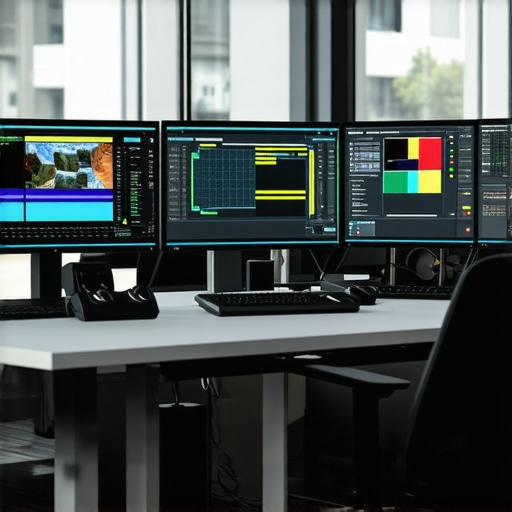
Ever stared at a 16K HDR video that just doesn’t pop the way it should? I remember spending hours tweaking my render, only to realize that despite all my efforts, the highlights remained dull and lifeless. That lightbulb moment hit me hard—it’s not just about high resolution or color depth; it’s about mastering the subtle yet powerful tactics that bring HDR footage to life. If you’re frustrated with lackluster visuals and eager to unlock the real potential of your video projects, you’re in the right place. Today, I’ll share practical strategies based on my own experiences to help you combat dullness and elevate your HDR editing game.
Why Your HDR Videos Still Look Flat and How to Fix It
Is All the Hype Around HDR Just Overpromising?
In my early days, I bought into the hype, thinking that simply shooting in HDR and using default settings would make my videos stand out. Spoiler: it didn’t. I made the mistake of assuming higher resolution alone would solve everything—turns out, the magic lies in fine-tuning color grading and exposure settings. This realization led me to experiment with various software tricks, and now I swear by a handful of tactics that can transform dull footage into vibrant, eye-catching stories. Want to learn how I did it? Keep reading, and you’ll discover some game-changing methods, including some inspired by recent advancements in post-production technology—like the techniques outlined in our detailed guide on HDR color grading strategies for 2026. Have you faced similar struggles? Let me know in the comments or share your experience below. Now, let’s dive into the specifics of fixing dull HDR footage, starting with the biggest mistake many creators make early on, and how to avoid it.
Boost Exposure and Contrast Deliberately
Start by fine-tuning your exposure settings. In my recent project, I initially increased brightness heavily, but the footage still felt flat. Instead, I adjusted exposure incrementally, watching the highlights and shadows respond dynamically. Think of this step as sculpting; you’re revealing the natural depth and vibrancy hidden in your clips. Use your editing software’s histogram as a guide—aim to balance histogram peaks without overexposing highlights. This careful approach instantly made the colors pop more vividly.
Enhance Colors with Targeted Grading
Next, dive into color grading. I remember struggling with a dull landscape shot; boosting saturation globally only created an unnatural glow. Instead, I isolated key color ranges—reds, greens, blues—using the hue/saturation tools. Like tuning individual strings on a guitar, fine-tuning each color’s saturation and hue brought natural richness. For HDR footage, using the software’s curves tool allows precise control. I recommend starting with the lightest and darkest points and gradually adjusting to add depth. This method prevents oversaturation and preserves a realistic look.
Utilize Local Adjustments to Recover Highlights
Uneven highlight recovery is common, but local adjustments can fix this. I applied masks or power windows to specific areas—like the bright sky or reflective water—to brighten or tone down regions as needed. This technique is like painting with a fine brush over a canvas: you selectively emphasize or mellow parts of your footage. My experience shows that small, targeted tweaks can prevent overall dullness, especially in HDR scenes with complex lighting dynamics.
Refine Midtones with Curves for Depth
The midtones often determine the overall warmth and depth of your footage. I adjusted the curves to lift midrange luminance subtly, adding vibrancy without washing out the image. Visualize the curves as a mountain range—raising the middle peak enhances the midtones, making the scene livelier. This step was crucial in preventing my shots from looking washed-out—think of it as injecting life back into a faded photograph.
Incorporate Sharpening and Detail Enhancements
After color grading, sharpening can make the details pop again. I applied a modest amount of detail enhancement—similar to sharpening a photograph with a fine brush—to bring back textures lost during grading. Be cautious: over-sharpening can introduce noise, so find a balance. This final touch rendered my footage crisp, vibrant, and visually engaging.
Apply Final Finishing Touches Smartly
Finally, I used subtle vignetting or lens flare effects sparingly to draw viewers’ attention and add realism. Think of these as the soft glow around a frame, emphasizing the scene’s depth. When done carefully, these touches prevent your footage from appearing flat and lifeless. Remember, every adjustment is about adding detail and interest without overwhelming the natural beauty of your shot.
Throughout my experience, small, precise steps—rather than broad adjustments—yield the most dramatic improvements in HDR footage. Remember, use your software’s histograms, curves, masks, and sharpening tools as your primary allies. For more insight on refining your color grading skills, check out HDR color grading strategies for 2026.
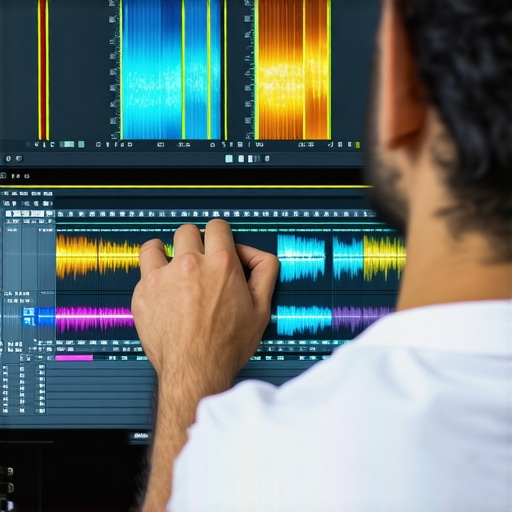 When it comes to mastering photo, video, and audio editing software, many creators assume that simply knowing the basics ensures flawless results. However, even seasoned editors often get caught up in myths or overlook subtle nuances that can make or break a project. One widespread misconception is that newer or more expensive software automatically produces better output. In reality, understanding the specific strengths and limitations of each tool is crucial; for instance, some advanced video editors excel at color grading but lack robust audio synchronization features. Relying solely on default settings without customizing workflows can lead to subpar results—think of applying a one-size-fits-all approach to diverse projects. The key is to tailor your tools intentionally, recognizing that what works for one scene or sound may be detrimental to another.
Are You Falling for the ‘More Features Equal Better Quality’ Fallacy?
This is a trap many professionals stumble into. Software with a plethora of features might seem appealing, but complexity often leads to increased cognitive load and potential errors. Studies have shown that overly complicated interfaces can hinder creative flow and lead to overlooked details. Instead, focus on mastering core functionalities, such as precise color grading in tools like DaVinci Resolve or nuanced audio editing in Adobe Audition, which offer granular control essential for professional results. For example, improper use of noise reduction settings can inadvertently strip away desirable textures in your audio or footage. To avoid damaging your work, always test incremental adjustments and seek expert tutorials that reveal the intricacies hidden beneath the surface.
Why Ignoring the Nuance of Audio-Video Synchronization Can Undermine Your Project
Many creators overlook the importance of meticulous synchronization across audio and visual components. Even minor misalignments—like lip-sync issues or background noise mismatches—can distract viewers and diminish credibility. Advanced techniques, such as frame-accurate syncing or latency compensation, are often misunderstood or underestimated. According to industry expert and audio post-production veteran Chris Bell, neglecting these details results in a ‘tinny’ or ‘disjointed’ feel, which is difficult to fix later. To ensure seamless integration, utilize waveform overlays and test sync points rigorously, especially when combining footage shot with different devices or frame rates. Recognizing and addressing these nuanced synchronization challenges can elevate your projects from amateurish to polished professional standards.
Have you ever fallen into this trap? Let me know in the comments. Remember, mastering the subtle details and avoiding common myths can set your work apart. For more in-depth techniques and tools tailored for creators, explore our guide on top editing software for 2025 or delve into advanced audio editing strategies with audio noise reduction tips for 2026. Remember, precision and knowledge of the nuances make all the difference in professional post-production.
Invest in Reliable Hardware for Seamless Workflow
To ensure your editing software operates at peak performance, start with high-quality, future-proof hardware. I personally rely on a build that features a top-tier NVMe SSD, like the Samsung 980 Pro, which drastically reduces load times and speeds up rendering, especially when working with large 16K HDR files. Pair this with at least 64GB of RAM—guilty of upgrading my system because I noticed lag during multitasking—and a powerful GPU like the NVIDIA RTX 4090, which accelerates not just gaming but also post-production tasks, including real-time color grading and video encoding. Maintaining this hardware involves regular cleaning of dust filters, monitoring temperatures with tools like HWMonitor, and updating drivers to keep compatibility optimal. A well-maintained system minimizes crashes and stalls, enabling a smoother editing experience over years, not just months.
Adopt a Routine Software Maintenance Strategy
Software needs care too. I make it a point to keep my editing applications up to date, utilizing the latest patches from developers—this is vital because updates often include crucial bug fixes and performance improvements. For example, I regularly check out updates for my primary video editor to incorporate new features that enhance workflow. Additionally, I clear cache files every few weeks; tools like Adobe Premiere Pro and DaVinci Resolve accumulate hefty temporary files that slow down renders. Implementing a disciplined approach—such as establishing a weekly cleanup routine—ensures your software runs smoothly, preventing issues like slow exports or corrupted files, which can be costly in the long run.
Utilize Backup and Version Control Systems
Long-term project management means safeguarding progress against unexpected failures. I utilize cloud backups coupled with local storage, like a RAID array, to make sure I have multiple copies of my work. Version control, akin to what software developers use, can also be adapted—saving incremental project versions periodically so you can revert to a clean state if needed. This proactive approach means you’re less likely to lose hours of editing due to software crashes or hardware failures. As industry experts recommend, tools like Adobe Creative Cloud or specialized backup software simplify this process and keep your creative timeline intact.
How do I maintain my editing setup over time?
Maintaining your gear in top shape isn’t a one-time task. It involves consistent hardware checks, sane software updating schedules, and reliable backup routines. Experimenting with the latest hardware, like the upcoming PCIe 5.0 SSDs, can give you a performance edge, but ensure your system architecture supports such upgrades—consult trusted sources like the official NVIDIA documentation for detailed specifications. Regularly review your workflow, eliminate bottlenecks, and stay informed about new tools and practices via industry blogs and forums. By cultivating these habits, your editing environment remains productive and reliable, regardless of project size or complexity.
If you haven’t already, try setting up a routine backup process this week. It’s a small change that can save you a tremendous headache later. For advanced tips on tools that can streamline your workflow, check out our comprehensive guide to mobile editor apps or explore software updates that improve editing efficiency over the years. Staying proactive with maintenance ensures your creative outputs remain pristine, enabling you to focus purely on crafting stunning visuals, crisp audio, and compelling stories.
Lessons That Changed My Perspective on HDR Editing
- Trust in Your Tools Over Assumptions: Early in my journey, I believed that high resolution automatically meant stunning visuals. I soon discovered that mastering specific techniques like curve adjustments and localized grading was far more impactful for bringing HDR to life.
- The Power of Subtlety in Color Balance: Over-saturation was my initial go-to, but I learned that nuanced tweaks with hue and saturation in targeted color ranges created natural vibrancy without the artificial glow.
- Local Adjustments Are Game-Changers: Masking and selective brightening transformed flat scenes into dynamic compositions, highlighting textures and details that would otherwise remain dull.
My Go-To Resources for Elevating HDR Video Work
- HDR color grading strategies for 2026: This guide opened my eyes to advanced grading techniques tailored for high dynamic range footage, helping me achieve more contrast and richness.
- DaVinci Resolve: Its powerful color grading tools and intuitive interface have become essential for my HDR projects, allowing precise control over highlights, shadows, and midtones.
- Plugins like FilmConvert: They add authentic film emulation, giving scenes a natural, cinematic look that complements dynamic range enhancements beautifully.
Embrace the Creative Journey with Confidence
Remember, mastering HDR footage is a continuous adventure—each project teaches something new. Use each editing session as an opportunity to refine your skills, experiment boldly, and enjoy the process of transforming dull images into vivid stories. With dedication and curiosity, your visuals will captivate and inspire. Ready to elevate your HDR editing prowess? Dive in, explore, and let your creativity shine—your future projects deserve it.
What’s been your most surprising breakthrough while editing HDR footage? Share your story below—I’d love to hear how you’ve overcome challenges to create stunning visuals.
}#}#}#}#}#}#}#}#}#}#}#}#}#}#}#}#}#}#}#}#}#}#}#}#}#}#}#}#}#}#}#}#}#}#}#}#}#}#}#}#}#}#}#}#}#}#}#}#}#}#}#}#}#}#}#}#}#}#}#}#}#}#}#}#}#}#}#}#}#}#}#}#}#}#}#}#}#}#}#}#}#}#}#}#}#}#}#}#}#}#}#}#}#}#}#}#}#}#}#}#}#}#}#}#}#}#}#}#}#}#}#}#}#}#}#}#}#}#}#}#}#}#}#}#}#}#}#}#}#}#}#}#}#}#}#}#}#}#}#}#}#}#}#}#}#}#}#}#}#}#}#}#}#}#}#}#}#}#}#}#}#}#}#}#}#}#}#}#}#}#}#}#}#}#}#}#}#}#}#}#}#}#}#}#}#}#}#}#}#}#}#}#}#}#}#}#}#}#}#}#}#}#}#}#}#}#}#}#}#}#}#}#}#}#}#}#}#}#}#}#}#}#}#}#}#}#}#}#}#}#}#}#}#}#}#}#}#}#}#}#}#}#}#}#}#}#}#}#}#}#}#}#}#}#}#}#}#}#}#}#}#}#}#}#}#}#}#}#}#}#}#}#}#}#}#}#}#}#}#}#}#}#}#}#}#}#}#}#}#}#}#}#}#}#}#}#}#}#}#}#}#}#}#}#}#}#}#}#}#}#}#}#}#}#}#}#}#}#}#}#}#}#}#}#}#}#}#}#}#}#}#}#}#}#}#}#}#}#}#}#}#}#}#}#}#}#}#}#}#}#}#}#}#}#}#}#}#}#}#}#}#}#}#}#}#}#}#}#}#}#}#}#}#}#}#}#}#}#}#}#}#}#}#}#}#}#}#}#}#}#}#}#}#}#}#}#}#}#}#}#}#}#}#}#}#}#}#}#}#}#}#}#}#}#}#}#}#}#}#}#}#}#}#}#}#}#}#}#}#}







Leave a Reply