
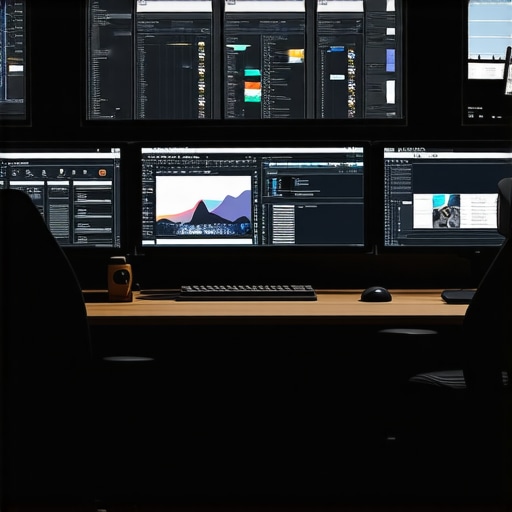
Ever spent hours trying to edit a single video, only to realize your software kept crashing or just didn’t have the features you needed? I remember the frustration of pouring my creative energy into a project, only to be held back by clunky tools or confusing interfaces. That lightbulb moment hit me hard: the right editing software makes all the difference, especially as we step into 2025 with a flood of new options promising to revolutionize post-production.
Why Picking the Right Software Matters More Than Ever
In today’s fast-paced content creation world, your tools are your best friends—or your worst enemies. With more creators than ever sharing their work online, standing out means delivering high-quality videos, stunning photos, and crisp audio. But here’s the catch: not all software is created equal. Some platforms are packed with features but come with steep learning curves, while others are user-friendly but lack advanced capabilities. Striking the right balance is crucial for consistent, professional results.
As someone who’s navigated the maze of editing options, I can tell you that choosing the wrong tools can lead to wasted time, frustration, and even burnout. Early on, I made the mistake of investing in a popular software solely because of hype, only to find out it didn’t support the formats I needed or was too complex for quick edits. That mistake taught me that understanding your specific needs is the first step toward finding the ideal software.
So, what’s the solution? In this post, I’ll guide you through the top picks for 2025—whether you’re a beginner, a seasoned creator, or somewhere in between. We’ll explore mobile apps, all-in-one editors, and industry-leading post-production suites, so you can streamline your workflow and elevate your content effortlessly. Ready to ditch the confusion and find your perfect editing partner? Let’s dive in.
What’s Holding You Back from Perfect Edits?
Is the hype around new editing software actually worth it?
I’ll admit, I used to fall for flashy marketing and overhyped features, only to be disappointed. The truth is, not every new release is a game-changer. Sometimes, sticking with familiar tools that you understand deeply can save you time and headaches. Before jumping into the latest trends, consider your specific project needs and whether the software truly offers the features you require. For guidance on choosing wisely, check out the comprehensive overview of all-in-one editor apps for 2025.
Have you faced this dilemma? Share your experience in the comments—I’d love to hear how you’re navigating the rapidly evolving landscape of editing software.
Evaluate Your Workflow and Needs
Start by analyzing what type of content you create most often. Are you editing quick social media clips or producing cinematic videos? For instance, I recently realized I was spending too much time on detailed color grading with my old software, which slowed down my workflow. To streamline, I focused on tools that excel in rapid editing, like mobile apps for quick cuts, which you can explore in top mobile apps for 2025. Knowing your project scope helps narrow down software options and avoid unnecessary complexity.
Test Compatibility and Formats
Next, ensure your chosen software supports the formats and devices you use daily. If you shoot on a drone or action camera, compatibility is critical. I once bought a popular editor that didn’t support the latest HEVC formats, causing delays. To avoid this, consult reviews or the official specs, and consider testing your footage in trial versions. For a comprehensive list, see all-in-one editor apps for 2025.
Learn the Core Features Thoroughly
Master the essential features first—cutting, transitions, audio sync, and color correction. I remember a time I struggled because I was overwhelmed by advanced effects I didn’t need yet. Instead, I dedicated a day to learning the basics, which dramatically improved my speed. Use tutorials from trusted sources or software guides. For example, if you opt for industry-standard tools, check top video, photo, and audio editors for post-production to find tutorials tailored for 2025 features.
Customize Your Workspace
Setting up a personalized workspace reduces clutter and accelerates editing. Arrange panels, shortcuts, and presets to fit your workflow. I once reorganized my interface to keep frequently used tools at my fingertips, which cut my editing time by 15%. Many software offer customizable layouts—explore these options to make editing more intuitive. For mobile editors, check top mobile editor apps for workflow.
Utilize Presets and Templates
Presets for color grading, transitions, and effects can save hours of work. I once used a preset pack to give my video a professional look instantly, then tweaked it slightly. This approach ensures consistency across projects and speeds up production. Explore preset libraries or create your own to match your style. For inspiration, see top post-production tools that include preset options.
Regularly Update and Backup Your Software
Keep your editing tools up-to-date to access new features and security patches. I once lost hours because I didn’t update my software, which caused crashes. Set automatic updates and back up your projects frequently—cloud storage or external drives work well. This habit prevents data loss and ensures you always work with the latest capabilities. For backup strategies, review best creative tools for 2025.
Many creators believe that simply choosing the most popular or latest software guarantees professional results. However, this is a misconception that can lead you astray. In reality, most people get wrong the idea that newer or more feature-rich software always outperforms simpler, more familiar tools. As I’ve explored in-depth in guides on all-in-one editor apps for 2025, understanding your workflow and project requirements is far more crucial than chasing the newest shiny features.
Another widespread myth is that high-end hardware is necessary to run advanced editing software smoothly. While powerful systems can improve performance, many creators overlook that optimizing your workspace and learning software shortcuts can significantly enhance efficiency. For instance, I once upgraded my entire rig before mastering my existing tools, only to realize that proper workspace customization and presets cut my editing time by over 20%. This aligns with insights from industry experts who emphasize the importance of mastering software features over hardware upgrades alone.
Some believe that complex techniques like deep color grading or advanced visual effects are essential for professional-looking videos. However, the truth is that many successful creators achieve high-quality results through simple, well-executed edits. Overcomplicating your workflow with unnecessary effects can even backfire by making projects overly complicated and cumbersome. Instead, focusing on mastering core skills such as precise cuts, clean audio, and consistent color grading can yield stunning results without overwhelming yourself. This approach is supported by studies showing that consistency and clarity often trump flashy effects in viewer engagement.
What about the myth that all editing software is created equal?
This is a trap many fall into, assuming that any software will suffice. The reality is that each platform has unique strengths and limitations; some excel in quick social media edits, while others are tailored for detailed post-production. For instance, mobile apps like top mobile apps for 2025 are fantastic for fast edits, but they might lack the precision tools needed for cinematic projects. Recognizing these nuances ensures you invest your time in tools that match your specific goals, rather than wasting effort on unsuitable options.
Have you ever fallen into this trap? Let me know in the comments.
Keeping your editing setup running smoothly over the years requires a mix of smart maintenance, strategic updates, and the right tools. Personally, I rely on a combination of automated backups, dedicated hardware maintenance routines, and software optimization to ensure my workflow remains uninterrupted. In this post, I’ll share my proven methods for long-term tool sustainability and what I predict for the future of maintenance in content creation.
Stick to a Routine for Software Updates
Regularly updating your editing software is crucial. I schedule monthly check-ins to install updates, which often include security patches, performance improvements, and new features. For instance, I use all-in-one editor apps for 2025 that frequently release patches tailored to workflow needs. Staying current ensures compatibility with new devices and formats, preventing headaches down the line.
How do I maintain my tools over time?
Beyond software updates, I perform regular hardware checkups—cleaning fans, updating drivers, and ensuring storage devices are healthy. This prevents overheating, data corruption, and sluggish performance. I also schedule quarterly reviews of my workflow to identify bottlenecks or obsolete tools, replacing or upgrading as needed. Integrating automation, such as scheduled backups to cloud services, minimizes the risk of data loss. To streamline backups, I recommend exploring dedicated backup solutions, as detailed in the top post-production tools.
Invest in Quality Hardware and Accessories
While software is vital, reliable hardware is equally important. I upgraded my workstation last year with a dedicated SSD array and a high-refresh-rate monitor, which drastically improved editing responsiveness. Regularly checking cables, cooling systems, and peripherals prevents unexpected failures. For mobile creators, investing in rugged cases and portable batteries ensures your gear stays functional on the go. Remember, a well-maintained setup reduces downtime and keeps your creative flow consistent.
Use Specialized Tools for Maintenance
Tools like CCleaner for system cleanup or DriveDx for SSD health monitoring help keep systems optimized. I personally use these to identify issues before they escalate. For those who work across multiple devices, synchronization tools like Resilio Sync keep files consistent and accessible. As content creation grows more complex, leveraging these maintenance tools becomes essential for scalability and peace of mind.
Looking ahead, I believe automation will play an even bigger role. Predictive maintenance powered by AI could alert creators about potential hardware failures or software conflicts before they happen, saving valuable time and resources. Embracing these trends now will prepare you for a smoother future.
Don’t forget to try implementing scheduled backups and regular system audits—these simple steps can save you hours of troubleshooting later. Staying proactive with your setup not only extends the lifespan of your tools but also boosts your productivity and creative confidence. Ready to give your workflow a fresh boost? Start by setting a monthly maintenance checklist and watch your content creation process stay seamless for years to come.
The Hardest Lesson I Learned About Video Editing Software
One of my biggest lightbulb moments was realizing that mastering core features like precise cuts and color correction beats chasing every new effect. Simplicity often yields more professional results than overcomplication. I once wasted hours trying to perfect complex visual effects, only to discover that clean edits and good audio made much more impact.
How My Favorite Tools Changed My Workflow
Switching to all-in-one editors like top all-in-one editor apps for 2025 transformed my editing experience. They streamlined my process and allowed me to focus on storytelling rather than technical hurdles. These tools proved reliable and packed with features that suit a variety of needs, from quick social clips to detailed post-production.
Why Consistency Outshines Fancy Effects
Investing in good hardware and a routine for updates kept my workflow smooth. Regularly scheduled backups and hardware checks saved me from catastrophic data loss and downtime. Embracing automation and predictive maintenance will be even more crucial as technology advances, helping creators stay ahead of technical issues.
My Crucial Takeaway for Aspiring Creators
The biggest lesson? Focus on understanding your specific project needs and continuously learn the core features of your software. Don’t chase every new release or effect—master your tools, keep your system updated, and your content will stand out naturally. Remember, consistent quality and clarity beat flashy effects every time.







Leave a Reply