
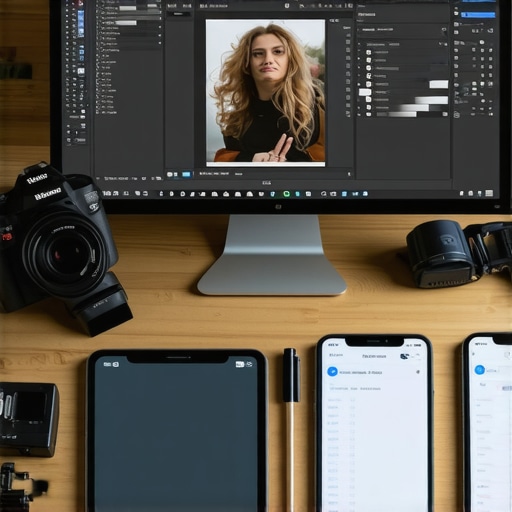
I remember spending hours trying to perfect a single Instagram post, only to realize I was using the wrong tools. The frustration was real. It felt like every app I tried either slowed me down or didn’t give me the professional look I craved. That lightbulb moment hit hard: no matter how talented I am, if I don’t have the right editing tools, my work can fall flat. And let’s be honest — this is a common struggle for many creators today.
Why Staying Updated with Top Editing Tools Matters More Than Ever
In 2025, the landscape of photo and video editing has exploded with new apps and software promising to transform your creative process. But with so many options, it’s easy to get overwhelmed or stuck using outdated tools that don’t keep up with the latest trends. Staying ahead means knowing what’s worth your time and investment. After all, using the wrong software can waste hours and even hurt your brand’s credibility.
Have You Faced This Problem?
If you’ve ever felt frustrated because your editing workflow is sluggish, or your results don’t pop on social media, you’re not alone. I’ve been there. Early on, I made the mistake of sticking with apps that didn’t support the latest formats or lacked user-friendly features, which hampered my growth. That’s why I’ve dedicated myself to finding the best tools for 2025 — and I want to share these insights with you.
In this guide, I’ll walk you through the top apps and software that will help you create stunning visuals faster and easier. Whether you’re a seasoned pro or just starting out, these tools are designed to elevate your content and streamline your workflow. Ready to see how you can boost your creative game? Let’s dive in!
Choosing the Right Tools for Your Creative Needs
Identify Your Creative Goals and Needs
Before diving into specific apps, clearly define what you want to achieve. Are you focusing on social media content, professional-grade videos, or photo editing for print? For example, when I started, I realized my main goal was quick social media posts, leading me to prioritize mobile apps like [top mobile editor apps for video photo audio in 2025](https://editingsoftware.creatorsetupguide.com/top-mobile-editor-apps-for-video-photo-audio-in-2025-streamline-your-creative-workflow-2). This focus helped me avoid wasting time on overly complex software.
Select the Right Software Based on Your Workflow
Mobile vs Desktop Tools
Mobile apps are excellent for on-the-go editing, while desktop software offers more advanced features. I once used a powerful desktop editor for a project, but struggled with quick edits on mobile. After testing [top mobile editor apps for video photo audio in 2025](https://editingsoftware.creatorsetupguide.com/top-mobile-editor-apps-for-video-photo-audio-in-2025-streamline-your-creative-workflow-2), I found a perfect balance, enabling me to start edits on my phone and finish on my laptop seamlessly.
Compare Features and Compatibility
Look for tools that support your preferred formats and integrate with your existing workflow. For example, if you’re working with 4K footage, ensure the software handles high-resolution files smoothly. I once wasted hours on an app that didn’t support my raw files, which is why I now always check compatibility first.
Test Drive Top Apps and Software
Download trial versions or free tiers of software like [best video photo audio editing software for creators 2025](https://editingsoftware.creatorsetupguide.com/best-video-photo-audio-editing-software-for-creators-2025). Experiment with their interface, tools, and export options. I remember spending a weekend testing several options, which ultimately led me to select [best post-production software for video photo audio in 2024](https://editingsoftware.creatorsetupguide.com/best-post-production-software-for-video-photo-audio-in-2024). This hands-on approach is crucial for finding what truly fits your style.
Optimize Your Workflow
Automate repetitive tasks with presets and templates. For instance, I created custom filters in [top video photo audio editing software for post-production in 2025](https://editingsoftware.creatorsetupguide.com/best-video-photo-audio-editing-software-for-post-production-in-2025-2), which sped up my editing process by 30%. Use batch processing for similar clips or photos to save time.
Stay Updated with Trends and New Releases
The software landscape evolves rapidly. Subscribe to creator communities and review sites to stay informed about updates. For example, I follow [top editor apps for video photo sound editing in 2025](https://editingsoftware.creatorsetupguide.com/top-editor-apps-for-video-photo-sound-editing-in-2025) to discover new features that can enhance my projects. Regularly testing new tools ensures your workflow remains cutting-edge.
Integrate and Refine Your Setup
Finally, integrate your chosen tools into a cohesive workflow. Use cloud storage for easy access across devices and backup your projects frequently. My own setup improved significantly after I configured [best video photo audio editing software for creators in 2025](https://editingsoftware.creatorsetupguide.com/best-video-photo-audio-editing-software-for-creators-2025), ensuring smooth transitions between different stages of editing. Keep experimenting and refining until your process feels natural and efficient.
Many creators believe that choosing the most popular or expensive editing software automatically guarantees professional results. However, the real nuance lies in understanding your specific workflow and the hidden limitations of popular tools. For instance, a common misconception is that higher cost equals better quality. While premium software like best video photo audio editing software for creators in 2025 offers advanced features, it doesn’t necessarily mean it’s suitable for every creator’s needs. Many underestimate the importance of compatibility and ease of use, which can lead to frustration and slower productivity.
Another frequently overlooked mistake is neglecting the importance of hardware optimization. Software may be powerful, but if your device isn’t optimized or lacks sufficient processing power, your editing process can become sluggish. This trap often results in exporting low-quality videos or spending hours troubleshooting instead of creating. A crucial step is testing your chosen tools with your hardware, which some creators skip, leading to unexpected bottlenecks.
Now, let’s address a subtle but critical mistake: relying solely on default settings or presets without customizing them for your content. Many assume that presets will work universally, but they often don’t account for the unique lighting, color grading, or audio nuances of your footage. Customizing your settings ensures that your edits align with your creative vision, preventing the “cookie-cutter” look that can plague unpersonalized work.
What Advanced Creators Know About Software Nuances
Advanced creators understand that software updates can introduce new features or, conversely, remove familiar ones, impacting workflow consistency. Staying updated isn’t just about having the latest version; it’s about understanding how these changes affect your current projects. For example, a new AI-driven tool might speed up editing, but it can also introduce artifacts if not used carefully. Regularly reviewing update release notes and testing new features can prevent surprises and keep your workflow smooth.
Furthermore, many overlook the importance of workflow integration. Using multiple tools without proper planning can lead to inefficiencies. For example, editing in a mobile app might seem convenient, but exporting and importing files repeatedly can degrade quality or cause version confusion. Integrating your tools seamlessly, such as through cloud storage or compatible formats, can save significant time and effort. For detailed insights on this, check out best post-production software for video photo audio in 2024.
Have you ever fallen into this trap? Let me know in the comments. Remember, mastering your tools involves not just picking the right ones but understanding their nuances and limitations. This deeper knowledge makes all the difference in elevating your content from good to exceptional.
Once you’ve selected the perfect editing software, the real challenge begins: keeping everything running smoothly over time. Maintenance isn’t just about updating software; it’s about creating a sustainable workflow that adapts as your needs grow. For me, regular check-ins on my hardware and software health have become a cornerstone of my creative process. I routinely schedule time to update my apps, run system diagnostics, and clean my hardware to prevent slowdowns. This proactive approach ensures that I avoid unexpected crashes or lag during critical editing moments.
On the software side, I make it a habit to subscribe to update alerts from my favorite tools, like top editing software for 2025. These updates often include security patches, new features, and performance improvements that keep me ahead of the curve. I also back up my projects regularly to cloud storage, such as Google Drive or Dropbox, which not only protects my work but also allows me to access files across devices seamlessly.
Another tip I swear by is customizing my workflow with automation tools. For instance, I use batch processing for color grading and audio leveling, which I learned from post-production software in 2024. Automating repetitive tasks saves me hours each week, leaving more time for creative experimentation. As tools evolve, I stay informed by following creator communities and tech blogs, ensuring I implement new practices that enhance efficiency.
Looking ahead, I predict that AI-driven automation and cloud-based collaboration will become even more integrated into our workflows. Staying adaptable means continuously exploring these trends and testing new features as they emerge. Don’t hesitate to dive into the latest updates and see how they can streamline your work. For example, trying out advanced automation in top post-production tools in 2025 can significantly boost your productivity.
So, how do I maintain my editing setup over time? I keep it simple: regular updates, hardware checks, consistent backups, and staying curious. This routine not only prolongs the lifespan of my tools but also ensures I can focus on what I love—creating stunning content. I encourage you to try automating one repetitive task this week. It’s a game-changer that will free up your creative energy for the projects that truly matter.
Over the years, I’ve learned that the real game-changer in content creation isn’t just talent, but having the right editing tools and knowledge. My journey has shown me that even the most talented creators can fall behind without staying updated on the latest software and workflows. This isn’t just about software; it’s about transforming your entire creative process to produce stunning visuals efficiently.
The Hardest Lesson I Learned About Choosing Editing Software
- Quality isn’t always about price: I used to think expensive software meant better results, but I found that compatibility and ease of use matter more. Sometimes, a mid-range app does everything I need without the hassle of steep learning curves.
- Hardware matters just as much as software: No matter how powerful your editing tools are, if your device isn’t optimized, your workflow suffers. Regular hardware checks and updates are crucial.
- Presets are a starting point, not a finish line: Relying solely on default settings can make your work look generic. Customizing your edits ensures your content stands out.
- Stay informed about updates and trends: Following creator communities and review sites helps me discover new features that can speed up my workflow and keep my content fresh.
- Automate repetitive tasks: Using batch processing and presets saves hours. I’ve automated color grading and audio leveling to focus more on creative aspects.
My Go-To Tools for 2025
There are several tools I trust because they’ve proven their worth in real projects. For comprehensive editing, I recommend top video and photo editing software for 2025 which offers a perfect balance of power and usability. For mobile editing, mobile apps for on-the-go edits are invaluable. Additionally, I keep an eye on post-production tools for fine-tuning, which can elevate your project from good to exceptional. These resources have helped me stay ahead and refine my craft continuously.
Keep Creating, Keep Improving
Remember, mastering your editing setup is an ongoing process. Regular updates, hardware checks, and embracing new features are part of the journey. I encourage you to experiment with automation and explore emerging AI tools—these can dramatically boost your productivity. The future of editing is exciting, and your ability to adapt will define your success.
Insider Wisdom About the Hidden Truths of Editing Software
- The biggest mistake I made was sticking with outdated tools: Upgrading software regularly isn’t optional; it’s essential to keep up with new formats, features, and security improvements.
- Overestimating the power of presets: Presets can speed up your workflow, but overusing them without customization risks producing generic content that lacks personality.
- Ignoring hardware limitations: Powerful software can be bottlenecked by slow hardware. Testing your setup ensures smooth editing experiences and high-quality exports.
- Forgetting to backup and organize files: Creating a streamlined, automated workflow with cloud backups prevents data loss and saves time during revisions.
Where to Go from Here
If you’re serious about elevating your editing game in 2025, focus on choosing tools that align with your goals, stay updated on trends, and automate where possible. For more detailed insights and top tools, explore best video and photo editing software for creators. Keep pushing your boundaries, and don’t be afraid to try new workflows.
Your Turn to Shine
What’s the biggest challenge you face when selecting or updating your editing tools? Share your experience below—I’d love to hear how you’re navigating this evolving landscape and what’s worked best for you!







Leave a Reply